
Table of content
- User story double-checked
- Code is readable and clean
- Check if changes can affect several components
- Check if changes can affect several types of users
- No errors in the console
- Internationalization: all languages are filled
- Must be responsive
- Must be accessible
- HTML and CSS are valid
- Functionality tested in multiple browsers
- New metrics if necessary
- Code is bug-free
- Unit tests covering most of the branches and with meaningful expects
- End-to-end tests are passing
- Integration tests are passing
- Performance tests are passing
- Security standards have been met
- Any configuration, build changes, or model changes are documented
- Documentation: Confluence / Swagger / StoryBook / Readme
- Screenshot for the sprint demo
- Code review and functionality tested by team members
- Approved by QA
- Approved by stakeholders (customer, manager, product owner)
- Pipeline or build are passing
After a few years as a software developer, I want to put together a list of tips and examples you can include in your definition of done.
I’ll keep an eye on the comments and add new items if needed.
Keep in mind that the best DoD is the one that the whole team has agreed on. The order below is meant to be logical from a dev perspective, and some items are front-end specific.
User story double-checked
It might seem obvious, but it isn’t. Re-read the user story once you think everything is done, in case you forgot something.
Code is readable and clean
It should also be well-formatted and follow the team’s style guide.
Check if changes can affect several components
Try not to break other features while building new ones. If your changes affect other parts of the app, validate all of them.
Check if changes can affect several types of users
It’s common to have different roles (administrators, consumers, publishers, etc.). Test the feature against all of them.
No errors in the console
Sometimes everything looks fine, but the console is still throwing errors. If you’re working on the frontend, a JavaScript error notifier Chrome extension can help.
Internationalization: all languages are filled
Check that all translations are in place and every i18n file contains the correct language.

Must be responsive
If the feature requires new markup, it has to be responsive. Also check there’s no horizontal overflow. I wrote an article just about that.
Must be accessible
Always keep in mind that what you build should be accessible and meet the WCAG standard.
HTML and CSS are valid
Validate your HTML and CSS. You can use the W3C Markup Validation Service.
Functionality tested in multiple browsers
Always test in at least two browsers. Knowing the most-used browsers for your app or site helps you run targeted tests on those.
New metrics if necessary
Sometimes you need to measure how much value is being delivered to the user.
Code is bug-free
Try to break the new feature. Test for basic and edge-case issues. What if you submit forms with empty inputs, the wrong types, or text that’s too long? And if you’re building a new endpoint, what happens if it doesn’t receive all the data? (Use schema validation.)
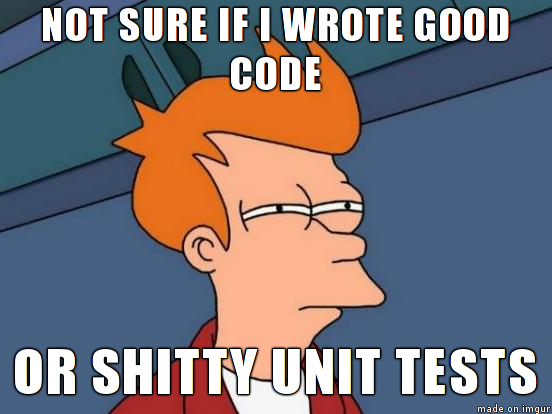
Unit tests covering most of the branches and with meaningful expects
Try to cover at least 85% of lines and most of the branches. Expectations should make sense, and so should test descriptions. I wrote a practical setup with Karma, Jest and Husky to enforce this on every PR.
End-to-end tests are passing
On our team we use Cypress, and sometimes a new e2e test is needed for certain parts.
Integration tests are passing
Critical if you don’t want to break the application as a whole.
Performance tests are passing
Few of the projects I’ve worked on had performance tests, but they’re important and worth applying in some cases. Artillery has saved me in the past.
Security standards have been met
This one is hard, but keeping security in mind can save you. We use SonarQube and Kiuwan.
Any configuration, build changes, or model changes are documented
Maybe this user story requires something to be done after deployment. Or there’s a model change that needs to be communicated to teams that depend on us. We use RFCs, but the user story should flag those situations.
Documentation: Confluence / Swagger / StoryBook / Readme
It depends which side you’re working on, but documentation is your ally. Meet the backend and frontend standards too — Swagger, Storybook, or a basic Readme.
Screenshot for the sprint demo
At the end of every sprint, you should run a demo to show and review new features. Once everything is ready, take a screenshot before moving on to the next user story.
Code review and functionality tested by team members
You made it through all of that — well done. Now let other team members, ideally more than two, review your work. Three people think better than one.
Approved by QA
If you have a QA team to handle this, perfect. They should sign it off.
Approved by stakeholders (customer, manager, product owner)
I’ve been on teams where the PO had to give their approval before we could move on.
Pipeline or build are passing
And once everything looks ready, make sure the pipeline is passing and the build process has no issues.

So those are some ideas that might fit in your definition of done. What do you think? What’s yours? If you’re after broader career-level advice, I also wrote 12 tips to improve as a front-end developer.
I hope you have learned something new. If you think this might help other people, please hit the like button so that others can read it. ❤️
If you have any thoughts or questions, feel free to leave a comment!
Join the conversation
No account needed — leave your name and a thought. Comments are reviewed before going live.